

Cyber threats are constantly evolving, and so must organizational defenses. Whether you’re managing IT for a mid-sized organization or delivering security services as an MSSP, staying ahead of vulnerabilities is critical. A well-structured vulnerability assessment checklist can be your frontline tool for proactively identifying risks and strengthening your security posture. In this article, we’ll explore what this cybersecurity vulnerability assessment checklist includes, why it matters, and how to use it effectively across your business environments.
What Is a Vulnerability Assessment Checklist and Why Use One?
A vulnerability assessment checklist is a structured tool that guides organizations through identifying, evaluating, and prioritizing security weaknesses across their systems and environments. It helps standardize assessments and ensures no critical entry point is overlooked, whether in a company’s digital infrastructure, physical locations, or network perimeter.
Depending on the organization’s scope, different cybersecurity aspects will be considered when building a vulnerability assessment checklist. A network vulnerability assessment checklist, for example, will focus on identifying gaps in firewalls, routers, ports, and connected devices.
In some cases, the checklist should also include the assessment of physical access controls, security cameras, entry points, and facility protections. In broader security programs, it may also include cloud, application, and IoT components.
The value of a cybersecurity vulnerability assessment checklist goes beyond just structure and standardization. A well-crafted threat vulnerability assessment checklist helps organizations:
- Proactively mitigate threats by spotting issues early, before they can be exploited.
- Support audit readiness and compliance with frameworks like NIST, ISO 27001, HIPAA, and PCI DSS.
- Improve efficiency for IT teams and MSSPs by providing a repeatable process that saves time and supports scalability.
- Ensure visibility and accountability with documented processes that support ongoing risk management and remediation.
What’s Included in a Vulnerability Assessment Checklist?
An effective security vulnerability assessment checklist covers the entire threat surface of your organization: networks, systems, applications, buildings, cloud environments, and human factors. Used consistently, the checklist serves as both a risk management tool and an operational playbook, helping teams move from reactive firefighting to strategic, measurable improvements in security posture.
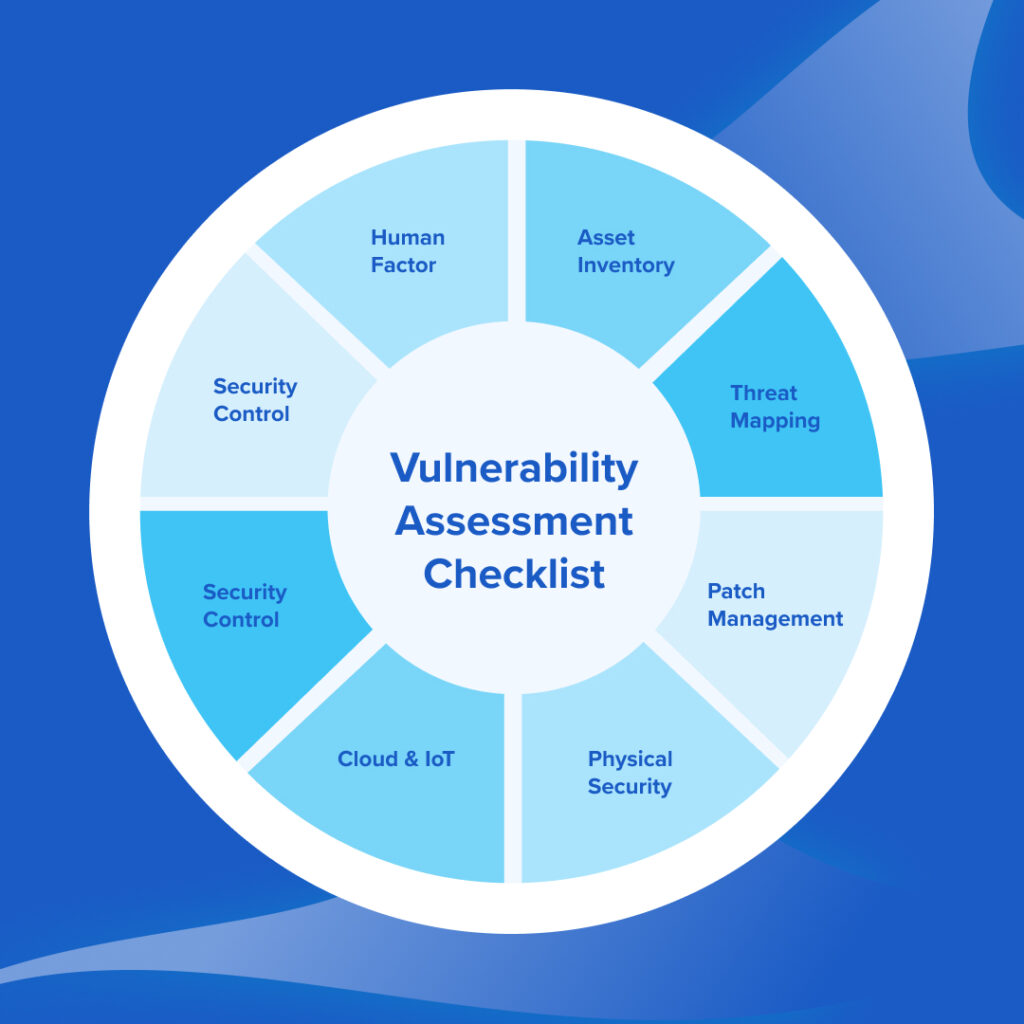
Below is a step-by-step breakdown of the key components that should be included in a thorough checklist, along with how each contributes to proactive cybersecurity.
1. System and Asset Inventory
Before you can protect what you have, you need to know what you own. This foundational step focuses on establishing a complete, up-to-date inventory of all assets: hardware, software, users, and data.
Checklist items:
- Maintain an accurate asset inventory (servers, laptops, mobile devices, IoT, etc.)
- Identify all installed applications, including shadow IT
- Document OS versions, firmware levels, and update status
- Classify assets by criticality (e.g., production vs. non-production)
- Tag cloud resources by function and owner
2. Threat Identification and Attack Surface Mapping
This mapping step assesses which parts of your environment are exposed to threat actors, both externally and internally. It’s the foundation of any threat vulnerability assessment checklist.
Checklist items:
- Identify external-facing services (web apps, VPNs, RDP, APIs)
- Map exposed ports and protocols on the perimeter
- Analyze user permissions and potential privilege escalation paths
- Evaluate internal attack vectors (lateral movement risks)
- Scan for known vulnerabilities (CVEs) in OS, applications, and firmware
- Assess social engineering and phishing risks
3. Patch Management and Software Update Review
Failure to apply timely patches remains a leading contributor to system compromise. This section of your cybersecurity vulnerability assessment checklist focuses on identifying outdated software and failed update processes.
Checklist items:
- Review patching policies and frequency (e.g., monthly, quarterly)
- Check patch compliance across all endpoints and servers
- Identify unsupported OS versions or EOL (end-of-life) software
- Verify that third-party applications (e.g., Java, Chrome, Adobe) are regularly updated
- Audit automation tools for patch deployment and validation
4. Network Segmentation and Firewall Configuration
A strong network security vulnerability assessment checklist includes isolation and segmentation best practices to contain breaches and limit lateral movement.
Checklist items:
- Confirm segmentation between production, dev/test, and guest networks
- Enforce least privilege access at VLAN and subnet levels
- Audit firewall rules for unused or overly permissive access
- Check for rogue devices or unauthorized network bridges
- Validate IDS/IPS or NGFW logs for unapproved traffic
5. Physical Access Controls and Facility Reviews
A building vulnerability assessment checklist is often overlooked, yet it’s crucial to protecting IT and OT environments.
Checklist items:
- Review access badge policies and expiration settings
- Confirm CCTV coverage of all entry points and server rooms
- Validate that server racks and critical systems are physically secured
- Ensure visitor logs are maintained and regularly reviewed
- Evaluate environmental risks: water leaks, fire protection, HVAC reliability
- Assess data centers, backup facilities, and office spaces
6. Cloud and IoT Security Posture
Modern IT environments are increasingly hybrid. Assessing vulnerabilities in cloud configurations and connected devices is a must.
Checklist items:
- Review IAM configurations in cloud platforms (AWS, Azure, GCP)
- Identify unused or overprivileged API keys and service accounts
- Scan cloud storage (S3, Blob, etc.) for public access permissions
- Assess logging and alerting (CloudTrail, Azure Monitor, etc.)
- Catalog IoT devices and assess firmware patching practices
- Map data flows between IoT endpoints and central systems to uncover potential exposure points
7. Security Controls and Incident Response Readiness
The checklist must also include a section that ensures that core defenses are working, and that your team is ready to act if something slips through.
Checklist items:
- Verify endpoint protection (AV, EDR, XDR) coverage across devices
- Test MFA enforcement on all key systems and cloud logins
- Review SIEM alerts and ensure alert fatigue isn’t causing blind spots
- Ensure periodic drills or simulations are conducted to validate the incident response strategy
- Validate backup strategy: frequency, offsite storage, and recovery testing
- Assess roles and responsibilities in the incident response team
8. Configuration and Compliance Controls
Vulnerability management doesn’t happen in isolation; it’s often tied to compliance obligations. This sub-checklist connects technical findings with governance needs.
Checklist items:
- Align findings with applicable frameworks (e.g., NIST CSF, ISO 27001, HIPAA, PCI DSS)
- Map vulnerabilities to control failures or gaps
- Ensure documentation exists for policies, procedures, and technical controls
- Review logging and evidence collection practices for audit readiness
- Include remediation deadlines and accountability tracking
9. Human Factor and Training Gaps
Even the best technical controls can fail if your people aren’t well-trained. Culture is part of the organization’s security posture, so make sure the vulnerability assessment checklist includes human elements as well.
Checklist items:
- Evaluate user awareness training completion rates
- Run simulated phishing exercises
- Assess admin access hygiene and shared credential usage
- Audit onboarding and offboarding security practices
- Review helpdesk tickets for recurring human-driven security issues
Best Practices for Using the Vulnerability Assessment Checklist
A vulnerability assessment checklist is only as effective as the processes that support it. Here’s how to maximize its value across your organization or client base:
1. Customize by System Type, Client, or Department
No two environments are identical. A generic checklist will always fall short. Tailor your checklist to make sure that it remains relevant and actionable in every context:
- System architecture (e.g., IT vs. OT)
- Department-specific needs (e.g., finance, dev teams, physical security)
- Client size, industry, and regulatory requirements
2. Involve Cross-Functional Stakeholders
Engage IT, security, compliance, operations, and facilities teams throughout the process. Many vulnerabilities span across departments, especially in hybrid or regulated environments. Cross-team input also improves accountability and closes knowledge gaps that a single department might miss.
3. Schedule Regular Assessments
Routine assessments keep your security posture aligned with evolving threats and changes in infrastructure. Regular testing supports a continuous improvement cycle and reinforces security as an ongoing priority. Recommended triggers include:
- On a quarterly or biannual basis
- After major changes (e.g., system upgrades, cloud migrations, M&A activity)
- Post-incident or near-miss reviews
4. Track Changes and Retesting Through Shared Documentation
Maintain a shared vulnerability register that logs findings, owners, remediation deadlines, and retesting dates. This allows all stakeholders to monitor progress and ensures no issue slips through the cracks.
If you’re still using a vulnerability assessment checklist xls or a vulnerability assessment checklist pdf to manage this, consider switching to platforms that offer built-in collaboration and reporting, like Cynomi.
5. Use Templates to Drive Consistency
Use templates to simplify communication with internal stakeholders or clients. Templates will also reduce variability between teams, clients, or engagements and create a scalable foundation for your vulnerability management process. Pre-built templates also help onboard junior staff faster and reduce dependency on senior technical leads.
How Cynomi Enhances Vulnerability Assessments
For MSPs and MSSPs seeking to scale cybersecurity services without overextending their teams, Cynomi offers the structure and automation necessary to conduct vulnerability assessments at scale efficiently.
Here’s how Cynomi directly supports the vulnerability assessment process:
1. Centralized Vulnerability Registry and Severity Scoring
Cynomi provides a single hub where all vulnerabilities can be logged, tracked, and scored based on severity. This helps service providers prioritize remediation efforts and demonstrate measurable progress over time, without the need for manual spreadsheets or fragmented tools.
2. Built-In Remediation Recommendations
Instead of simply flagging risks, Cynomi offers actionable remediation guidance out of the box. These recommendations are based on seasoned CISO knowledge and help guide even junior team members through the next steps, making it easier to effectively and consistently address security gaps.
3. Custom Checklist Builders and Template Libraries
With Cynomi, providers can build and tailor vulnerability assessment checklists to specific clients, systems, or regulatory frameworks. These templates save time, improve consistency, and ensure that nothing critical is missed, whether the focus is on network infrastructure, physical asset security, or cloud environments.
These automation and standardization capabilities, combined with expert guidance into every step, help MSPs and MSSPs deliver high-impact services with fewer resources, accelerating their path to scale and maturity.
Putting the Vulnerability Assessment Checklist into Action
To get real value from your vulnerability assessment checklist, apply it with structure and consistency. Used well, your checklist becomes more than a security task; it’s a driver of operational maturity, faster threat detection, and stronger compliance.
Cynomi makes all of this easier with its centralized vulnerability tracking, built-in remediation guidance, and customizable pre-built checklists, helping streamline the entire process and scale MSP/MSSP security services without adding overhead.
FAQs
A structured tool for identifying and prioritizing security weaknesses across systems, networks, and facilities.
Yes. It maps vulnerabilities to frameworks like NIST, ISO 27001, HIPAA, and PCI DSS.
Cynomi helps by centralizing vulnerabilities, scoring risk, and offering ready-made checklists and remediation plans.
Typical components include asset inventory, threat mapping, patch review, network and cloud security, physical controls, and incident response readiness.
Tailor it to your environment, involve key stakeholders, assess regularly, track remediation, and use templates to ensure consistency.